What Is Xtream Codes API?
A beginner-friendly explanation of how the Xtream API works, what the credentials mean, and where the technology fits into modern IPTV players.
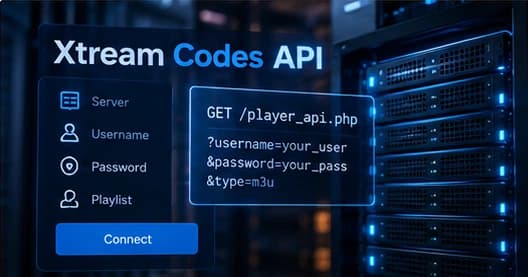
If you have ever set up an IPTV player and typed in a server URL, a username, and a password, you have already touched Xtream Codes even if the name never appeared on screen. Behind that simple login screen is a small, structured API that most modern IPTV apps use to pull in their channel lists and categories.
What the credentials really mean
When you enter a server URL, username, and password into a player, the app is not just checking whether those values look correct. It is asking the server for a list of things it is allowed to show you. The three pieces together identify both who you are and which server to ask.
- Server URL — the address of the service, usually ending in a port number such as 8080 or 2095.
- Username — your account identifier on that service.
- Password — the secret that authenticates that username.
How the login flow works
Most players follow the same broad sequence. After you save your credentials, the app pings a small status or authentication endpoint on the server. If the response comes back successfully, the player then asks for the categories and subscription information. Only after that does it start loading the actual channel list.
Why players prefer it over M3U
A plain M3U playlist is just a flat list of channel names and stream links. The Xtream API returns richer, structured data — categories, EPG, and per-channel metadata — which makes the app faster to browse and easier to keep organized.
| Aspect | Xtream API | M3U |
|---|---|---|
| Channel groups | Built in | Depends on file formatting |
| EPG / guide data | Usually included | Separate guide source |
| Setup | Server + username + password | Single playlist link |
| Updates | Server-side, automatic | File must be refreshed |
Where it fits in your setup
For most viewers the API is invisible. It sits between the IPTV player application on your device and the service you subscribe to. You rarely need to understand the details — your job is normally just entering three pieces of information in the right fields.
From there, the app handles the rest. If you ever run into a login error or a blank channel list, understanding that this handshake exists helps you troubleshoot in the right place.