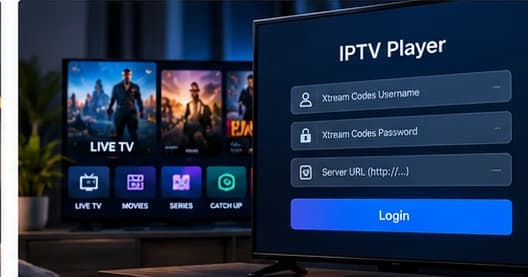
IPTV Smarters Pro: Complete Setup Guide
Install the official Smarters Pro player on a supported device and connect your legitimate IPTV service. The app is a media player — it does not include channels or subscriptions.
Step-by-step setup guides for connecting a player to a service.
Install the official Smarters Pro player on a supported device and connect your legitimate IPTV service. The app is a media player — it does not include channels or subscriptions.
Install TiviMate on a compatible Android-based TV device and connect it to your legitimate IPTV service — the player provides the interface, not the channels.
Install a compatible player from the tvOS App Store and connect it to a legitimate IPTV service — this covers the Apple TV box running tvOS.
Install a compatible player from the LG Content Store and connect it to a legitimate IPTV service — the exact steps vary by model, webOS version and region.
Install a compatible player from the Samsung Apps store and connect it to a legitimate IPTV service — the exact steps vary by app and TV model.
A step-by-step look at entering Xtream or M3U credentials into an IPTV player, plus what to do when login fails.
A neutral, platform-by-platform comparison of reliable IPTV player apps in 2026 — how to choose one, which fits your device, and the features that actually matter.
Compare Ethernet and Wi-Fi for IPTV streaming, including stability, interference, bandwidth, distance and practical buffering fixes.